The main window of Data factory is the following:

The design is simple: You see the data (y-values defined on an equi-distant set of x-values) and various buttons to start data manipulation actions. These are described in detail later.
Also the usage of Data factory is simple: Import a spectrum, do some manipulations, export the spectrum. There are Import and Export menu commands which are followed by the standard Windows dialogs for file selection. However, the exchange of data sets with other products of M.Theiss Hard- and Software is more easily done by Drag&Drop via the button labeled 'D' in the lower left corner of the window.
You can also drag a file from Explorer to the 'D' button: If the file extension is *.std (standard format), *.xy (text file with one x- and one y-column), *.dx (JCAMP format), *.spc (SpectraCalc format) or *.sp (Perkin Elmer format), Data factory will recognize the format and import the data.
Besides the main window there are three subwindows, named 'C1', 'C2' and 'C3'. They are displayed if you press one of the buttons on the left side of the main window labeled as 'C1', 'C2' or 'C3'. Here is one the subwindows:
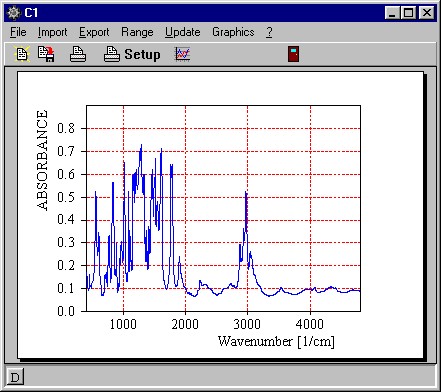
In a subwindow you cannot do anything with the data. However, you can refer to C!,C2 and C3, respectively, in formulas in the main window. This way you can add, subtract and multiply spectra.
Note that the subwindows have 'D' buttons also. You can use these to Drag data from the main window to subwindows, from subwindows to other subwindows, from other programs to subwindows, and so on ...
The graphics features of Data factory are exactly the same as in the other programs of M.Theiss Hard- and Software. Please refer to the description in the corresponding separate help documents.
As usual, you can Save and Open complete program configurations with File submenu commands.