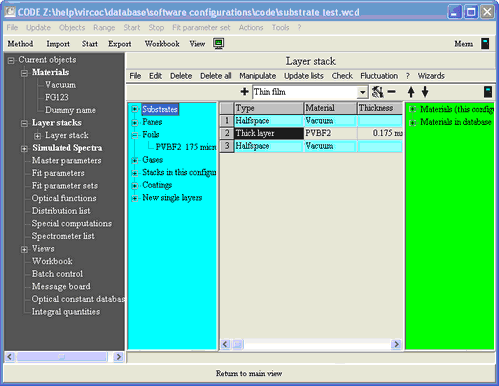
The foil wizard computes optical constants of plastic foils embedded between 2 glass panes. Before you apply the wizard by executing the layer stack command Wizards|Foil wizard you should go through the following preparational steps:
| • | Select the database (menu command in the main window: File|Options|Database) where the new foil should appear |
| • | Clear the layer stack and create a new single layer of type Thick layer. The material assignment is not relevant at this time - it will be modified by the wizard. The thickness of the layer will also be set by the wizard. |
| • | Be sure that you have all required data files which can be imported by SCOUT. You will need 6 spectra: Both the reflectance and transmittance of the two panes that enclose the foil, and reflectance and transmittance of the laminated package pane top / foil / pane bottom. |
The starting situation is the same as in the case of the pane wizard:

Start the wizard with the command Wizards|Foil wizard:
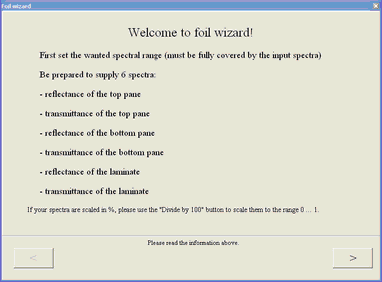
Click on > to start the work:
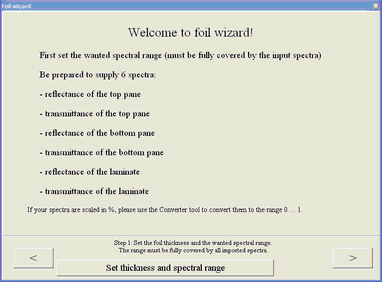
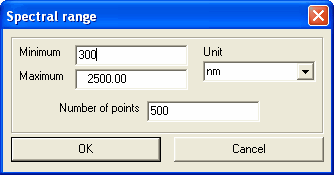
First click on Set thickness and spectral range. This will guide you through the following dialogs to enter the foil thickness

and to specify the spectral range of the analysis:
When you are done with these settings, press > to go on. You now have to import the 6 spectra, starting with the reflectance of the top pane:

When you are ready with the import of the current spectrum, check if you have to divide by 100 (click the corresponding button, if necessary). Then press > to go to the next step. The last spectrum is the transmittance of the laminate:

Finally press the Finish button to enter the result in the database. You have to set a name for the new material
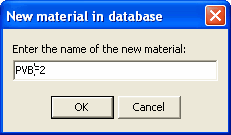 ,
,
enter your name

and a comment

After the material has been entered to the database, the wizard suggests a name for the new foil item in the foil subfolder. In the following dialog you get the chance to modify this identifier:
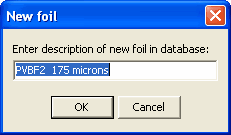
After the command Update lists you will find the new foil item in the Foils subfolder of the database: